Portfolio dashboard
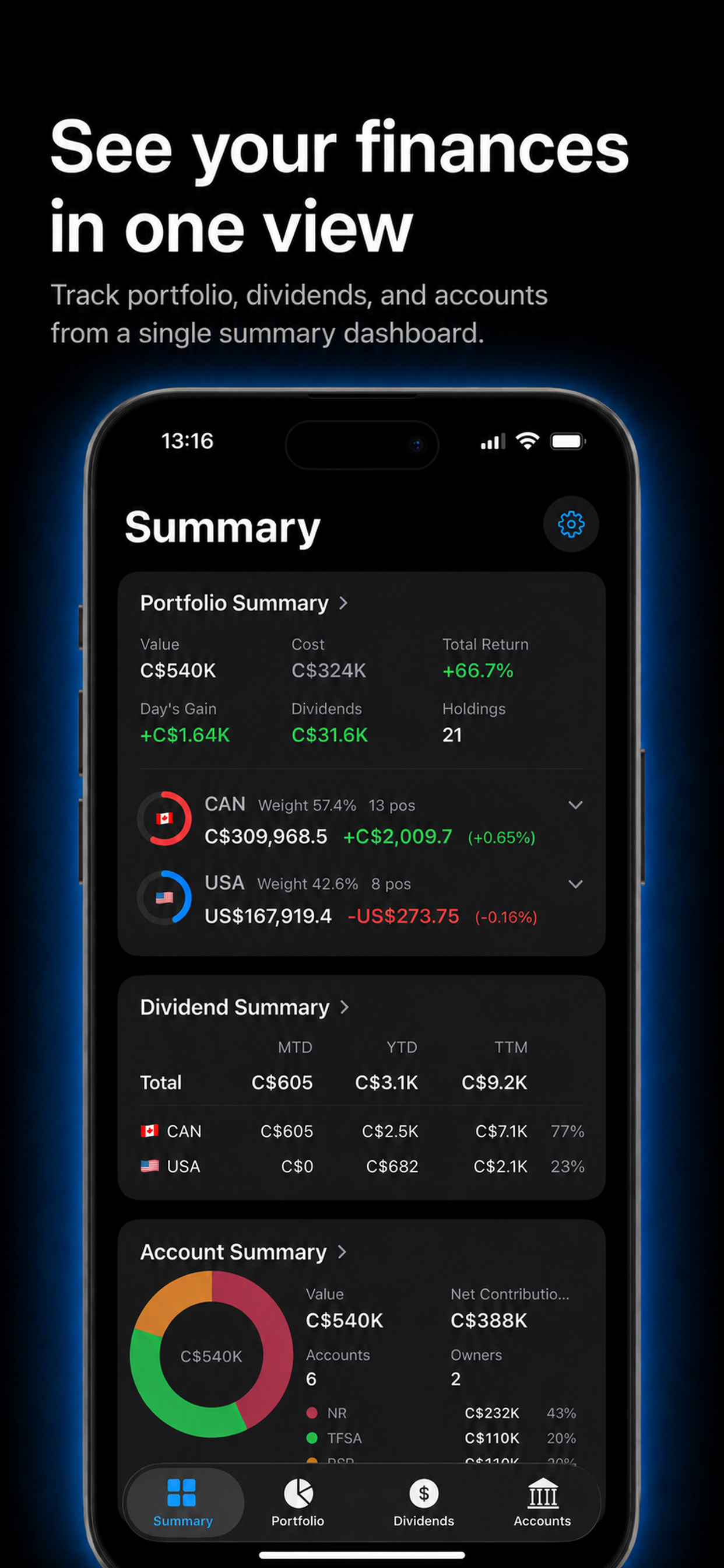
View portfolio value, cost, total return, day gain/loss, holdings, and account breakdowns in one place — with a historical chart to track how your net worth has changed over time.
Bring together scattered accounts, global markets, holdings, returns, dividends, and cash activities in one clear view.
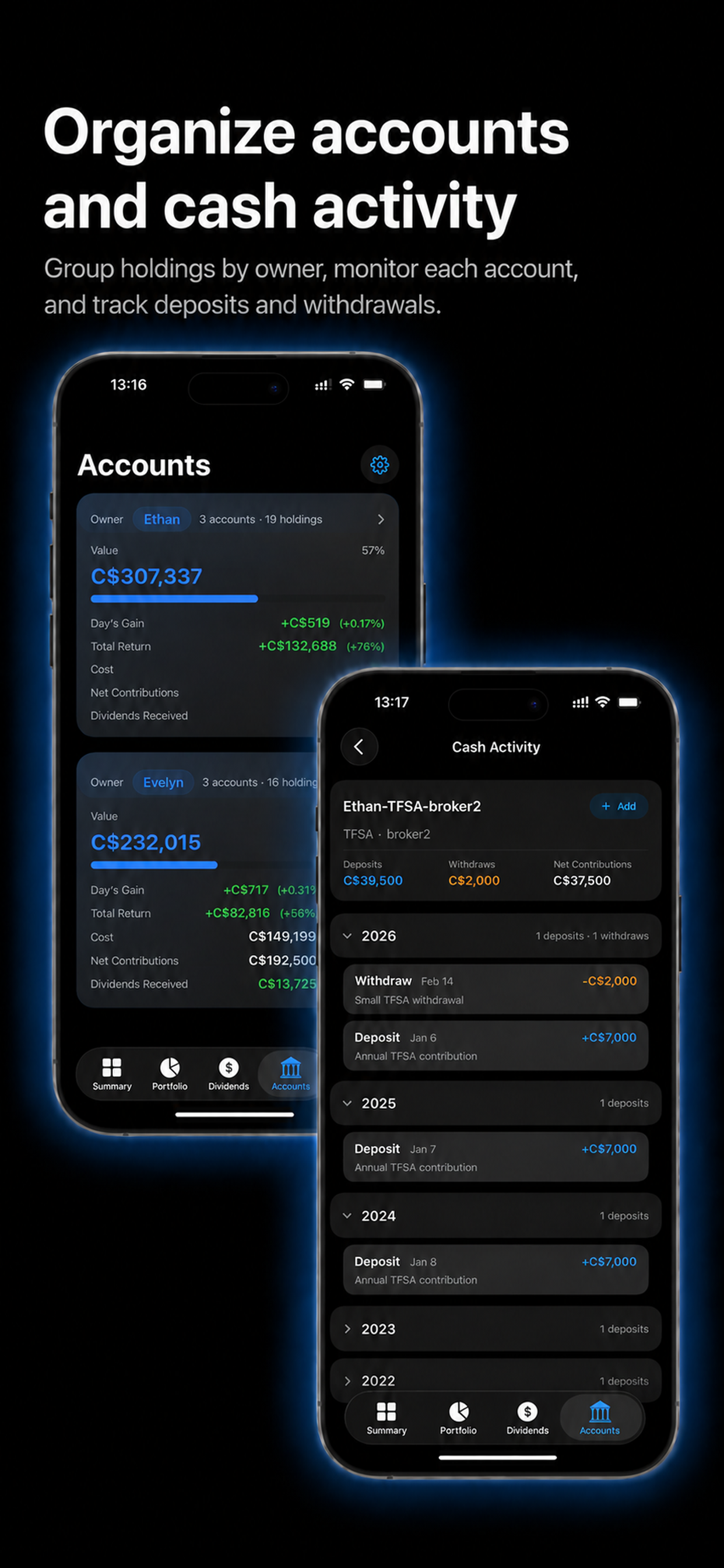
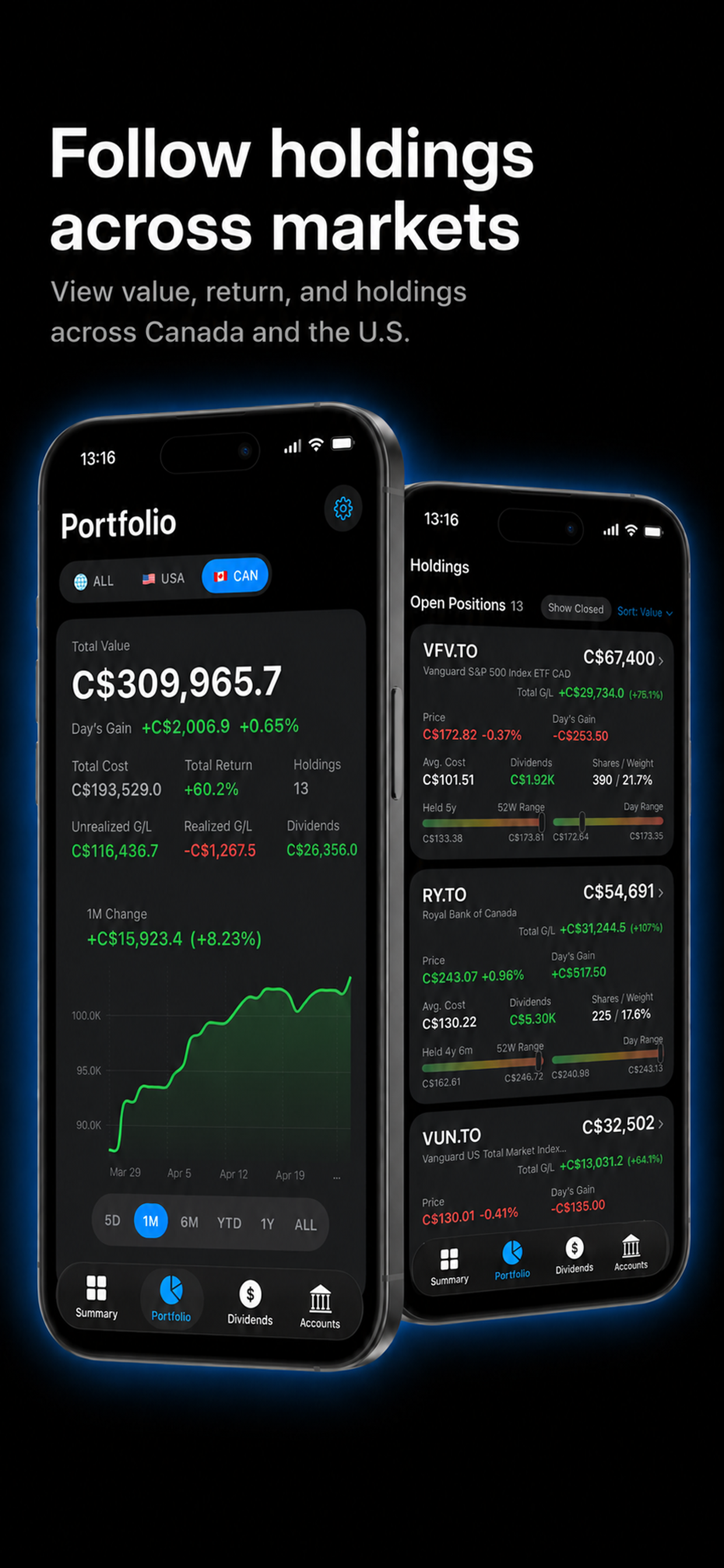
Track accounts, markets, holdings, returns, dividends, and cash activity without connecting your brokerage account.
View portfolio value, cost, total return, day gain/loss, holdings, and account breakdowns in one place — with a historical chart to track how your net worth has changed over time.
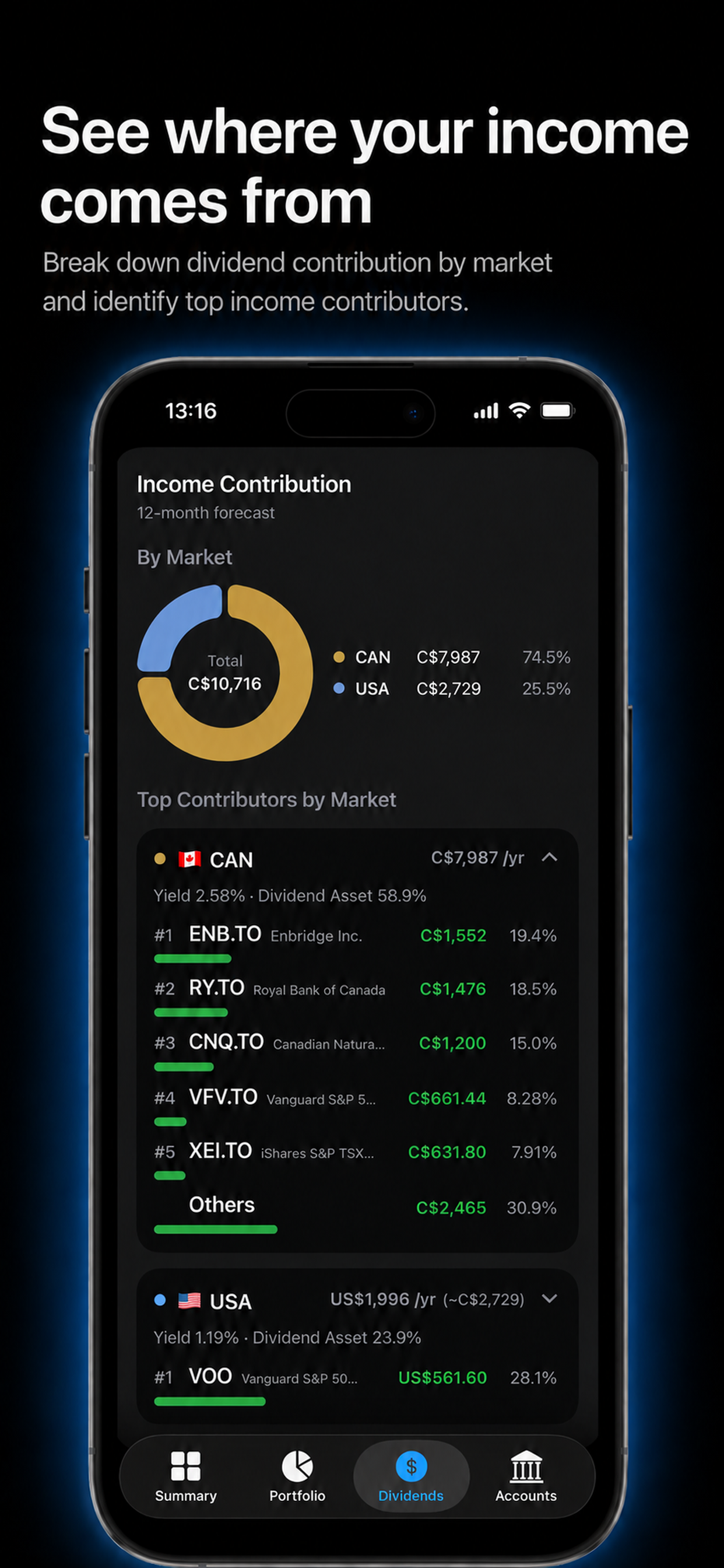
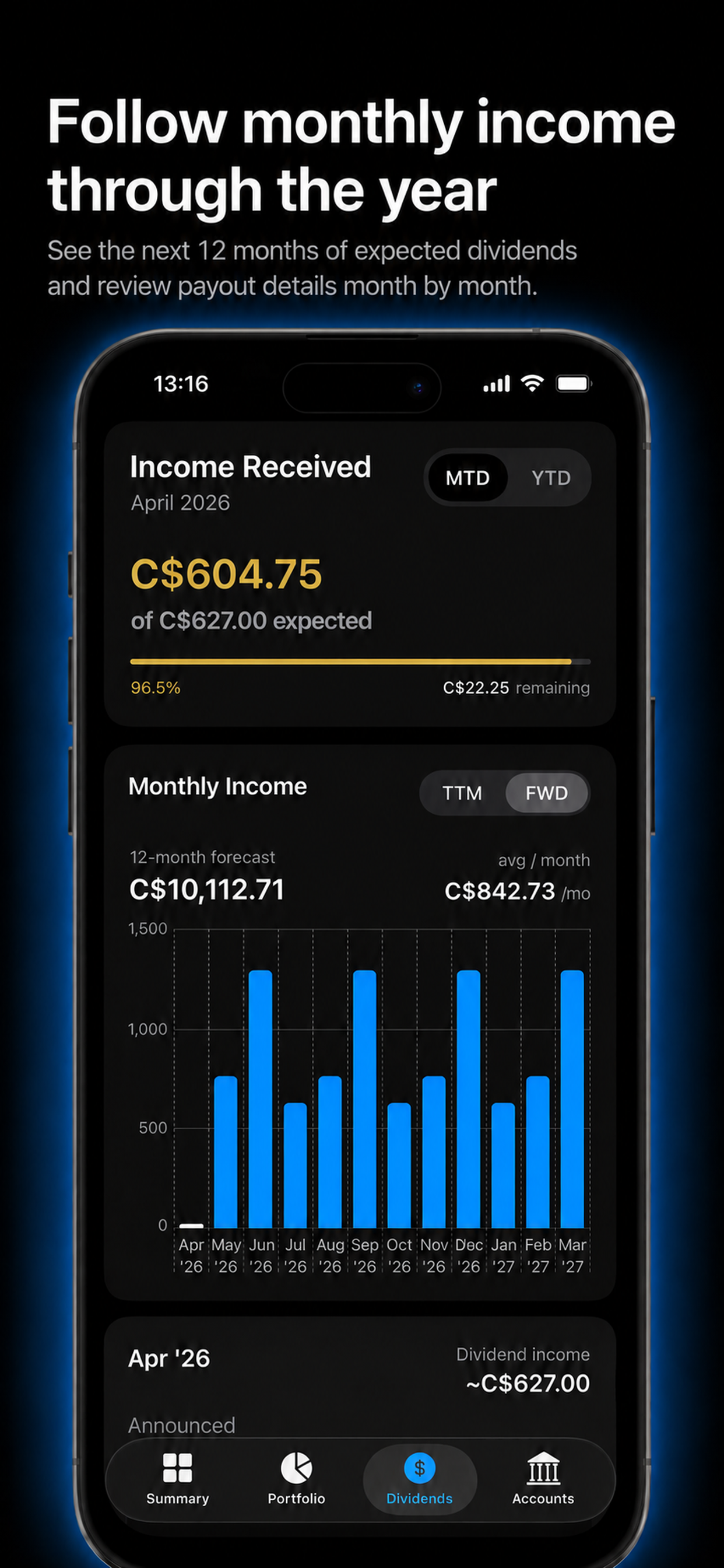
Track dividend income, next 12-month income, yield, yield on cost, and income contributors by market.
See annual dividend income by year, year-over-year growth rate, and compound annual growth rate (CAGR). Set a personal income goal and track your progress toward it.
Organize records by owner, account type, institution, account, and cash activity.
Track registered account contributions by year for Canadian TFSA and RRSP accounts, and UK ISA accounts. Compare against official annual limits and flag over-contributions at a glance.
Track US, Canadian, China A-share, Hong Kong, Australian, UK, Singapore, Taiwan, and Malaysia securities where market data is available.
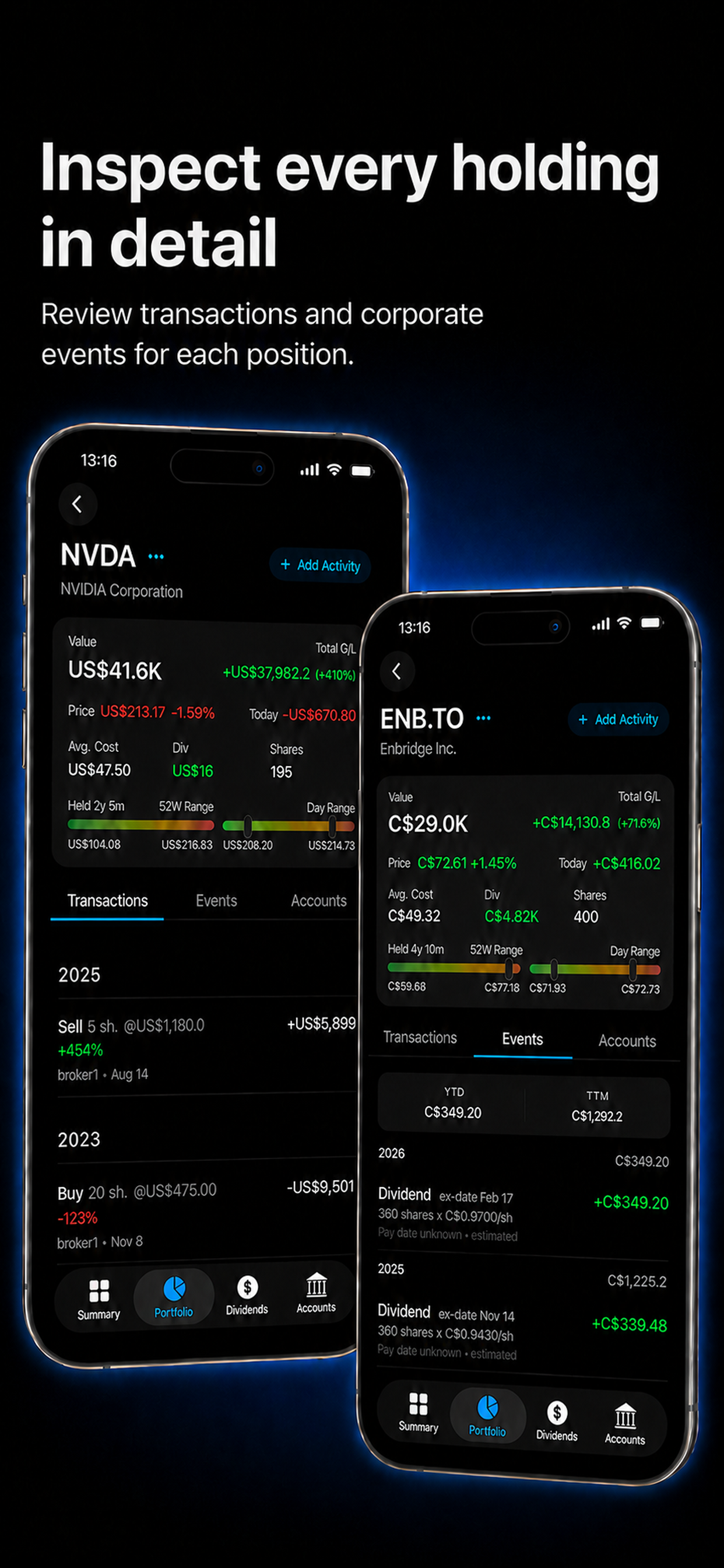
Record buys, sells, deposits, and withdrawals. Keep personal records for registered and non-registered accounts, and create securities while entering transactions.
Import transaction history, export backups, and keep your portfolio records portable, with skipped-row feedback after import.
Monitor securities you don't yet hold — live quotes, dividend data, and market context alongside your existing portfolio.
A closer look at DaysGain’s portfolio, dividend, account, and market views.
DaysGain does not require a brokerage login. Your portfolio records are stored on your device unless you choose to export, share, or enable iCloud Sync.
Use the CSV Import Guide to prepare transaction records for buys, sells, deposits, and withdrawals.